
Core Web Vitals Checklist 2026: Fix LCP, INP & CLS Before They Fix Your Bounce Rate
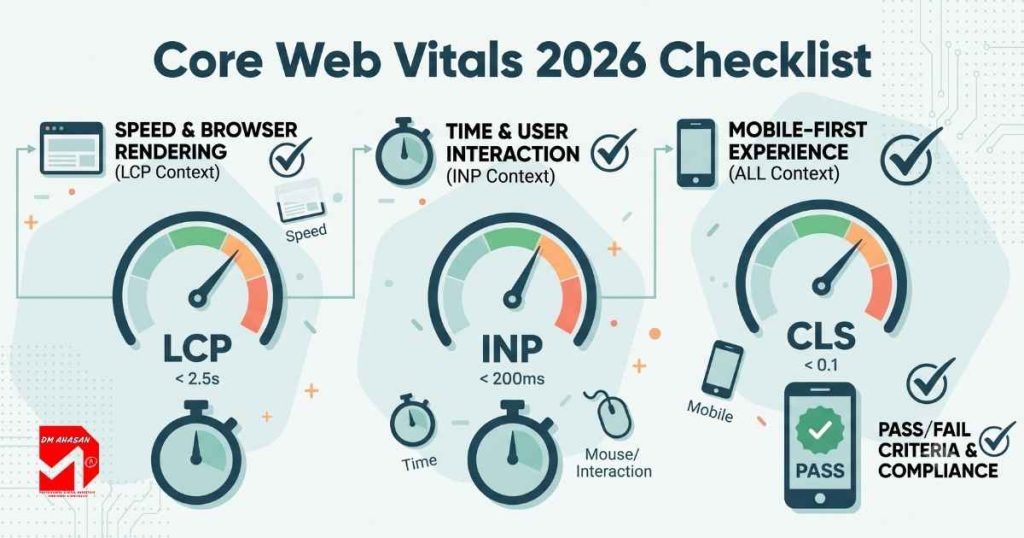
Let’s start with an uncomfortable truth: your website might be quietly losing you customers before anyone even reads your headline. That’s exactly why this core web vitals checklist 2026 exists — because Google, and more importantly, actual humans with attention spans shorter than a skipped ad, judge your site on three things: how fast it loads, how quickly it responds when tapped, and whether it holds still long enough to actually be read. Fail those, and visitors bounce faster than a WordPress site after a bad plugin update.
Good news: none of this requires a computer science degree. It requires a checklist, a bit of discipline, and roughly twenty minutes with the right tools. Let’s get into it.
What Are Core Web Vitals, Anyway?
Think of Core Web Vitals as your website’s report card — except the teacher is Google, the homework gets graded on real visitors using real (often mediocre) phones, and there’s no curve for effort. Officially, they’re three field metrics: Largest Contentful Paint (LCP), Interaction to Next Paint (INP), and Cumulative Layout Shift (CLS). A page only gets a passing grade when at least 75% of real visits hit the ‘good’ threshold for all three, measured over a rolling 28-day window.
| Metric | What It Measures | Good | Needs Improvement | Poor |
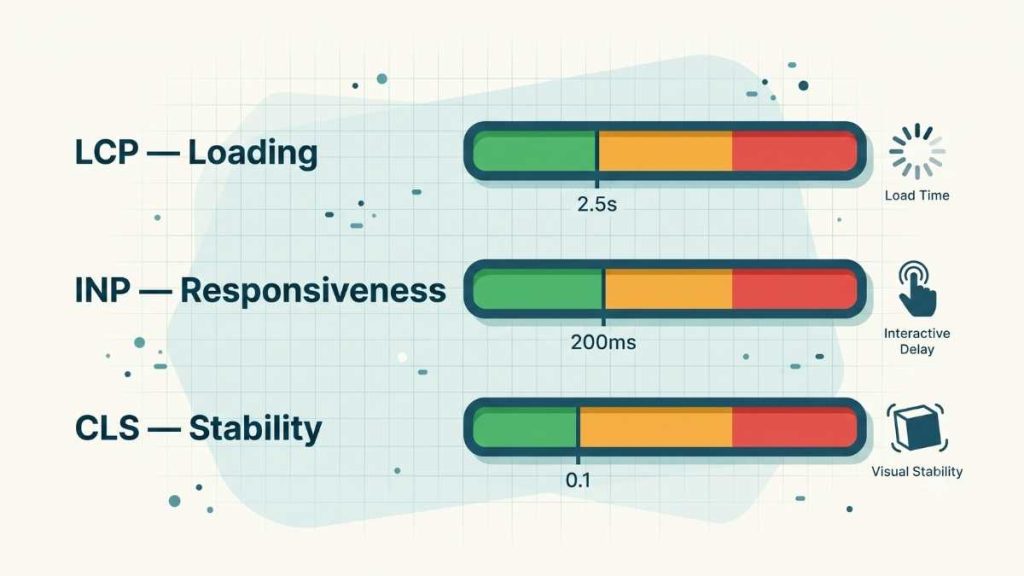
| LCP | Loading speed — when the main content actually shows up | < 2.5s | 2.5s – 4.0s | > 4.0s |
| INP | Responsiveness — how fast the page reacts when someone taps or clicks | < 200ms | 200ms – 500ms | > 500ms |
| CLS | Visual stability — how much the page jumps around while loading | < 0.1 | 0.1 – 0.25 | > 0.25 |
A quick housekeeping note: Interaction to Next Paint (INP) replaced First Input Delay (FID) back in March 2024, and by now Google has fully retired FID from its Chrome UX Report data entirely. So if a plugin, a theme, or an old audit is still proudly reporting your FID score, it’s measuring something that technically no longer exists — a bit like bragging about your dial-up modem speed.
Why Do Core Web Vitals Actually Matter for Ranking in 2026?
Here’s the part that tends to get people’s attention: Amazon has calculated that a mere 100-millisecond delay costs them roughly 1% of revenue — about $1.9 billion a year. Walmart found that every one-second improvement in load time bumped conversions by 2%. You are probably not Amazon, but the underlying physics of impatience applies to every website on the internet.
Core Web Vitals themselves haven’t gotten stricter in 2026 — the ‘good’ thresholds are exactly what they were before: LCP under 2.5 seconds, INP under 200 milliseconds, CLS under 0.1. What has changed is presentation: Google quietly retired the old Page Experience report in Search Console, while Core Web Vitals and HTTPS reporting stuck around. Translation: the bar didn’t move, Google just cleaned up the dashboard around it.
What is trending upward is the pass rate — recent Chrome UX Report data shows more than half of tracked websites now pass all three metrics. Which sounds encouraging until you realize it also means the slow half is now more obviously slow by comparison. Competitive niches have shown a real pattern too: pages sitting in position 1 are roughly 10% more likely to pass Core Web Vitals than pages sitting at position 9. Google insists this is a tiebreaker signal, not direct causation — sure, Google, we believe you.
There’s a newer wrinkle worth watching as well: speed is increasingly a citation signal, not just a ranking one. AI-powered search tools tend to pull from sources that are fast and structurally clean, because that’s simply easier for them to parse reliably. A sluggish site that technically still ranks might still get skipped when an AI tool is deciding what to cite — so now your site has two audiences to keep happy, and both hate waiting.
The Complete Core Web Vitals Checklist (No Vague Pep Talks, Just Fixes)
Fix LCP — The “Are We There Yet” Metric
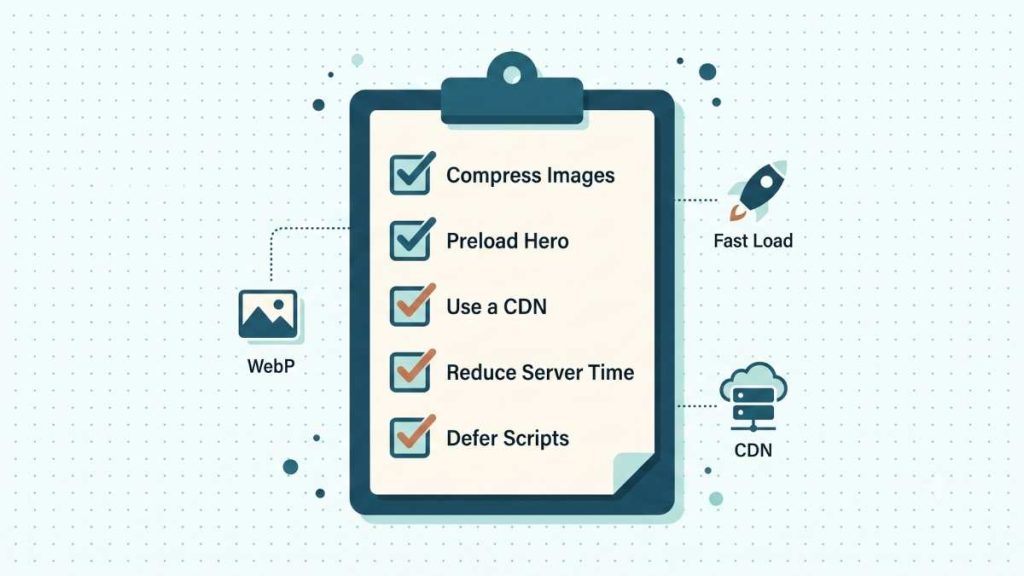
- Compress and convert images to modern formats (WebP or AVIF) before uploading — that 4MB photo straight from a phone camera is not doing anyone any favors.
- Preload your largest above-the-fold image or hero element with fetchpriority=”high”.
- Serve images and assets through a CDN to cut geographic latency.
- Reduce server response time (TTFB) — if it’s consistently sluggish, it might be time to reconsider your hosting plan.
- Inline critical CSS for above-the-fold content; defer everything that isn’t needed immediately.
- Remove or defer render-blocking JavaScript that has no business being in the way of the first paint.
Fix INP — The Toddler-Tantrum Metric
Something happens (a click, a tap), and everyone involved wants an immediate reaction. INP measures exactly how immediate that reaction actually is, across every interaction on the page, not just the first one.
- Break up long JavaScript tasks — anything running past 50ms is officially blocking the main thread and everyone’s patience.
- Audit third-party scripts (chat widgets, analytics tags, ad scripts) — they’re the single most common culprit on small business sites.
- Minimize DOM size and overall page complexity.
- Defer non-critical scripts so they load after the page becomes interactive, not before.
- Avoid heavy event listeners on scroll or resize events.
- Re-test after every plugin or script addition — INP regressions tend to sneak in unannounced, like a party guest nobody remembers inviting.
Fix CLS — The Reason People Rage-Click the Wrong Button
You know the feeling: you go to tap ‘Buy Now,’ and a cookie banner or ad slides in at the last second, and suddenly you’ve agreed to a newsletter instead. That’s Cumulative Layout Shift, and it is entirely fixable.
- Set explicit width and height on every image, video, iframe, and ad slot.
- Reserve fixed space for dynamically injected content — ads, embeds, cookie banners, chat widgets.
- Use font-display: swap and preload key fonts to prevent the classic font-swap layout jump.
- Never insert new content above existing content without reserving space for it first.
- Use Chrome DevTools’ “Layout Shift Regions” overlay to see exactly which elements are misbehaving, and when.
How Do I Actually Check My Core Web Vitals Score?
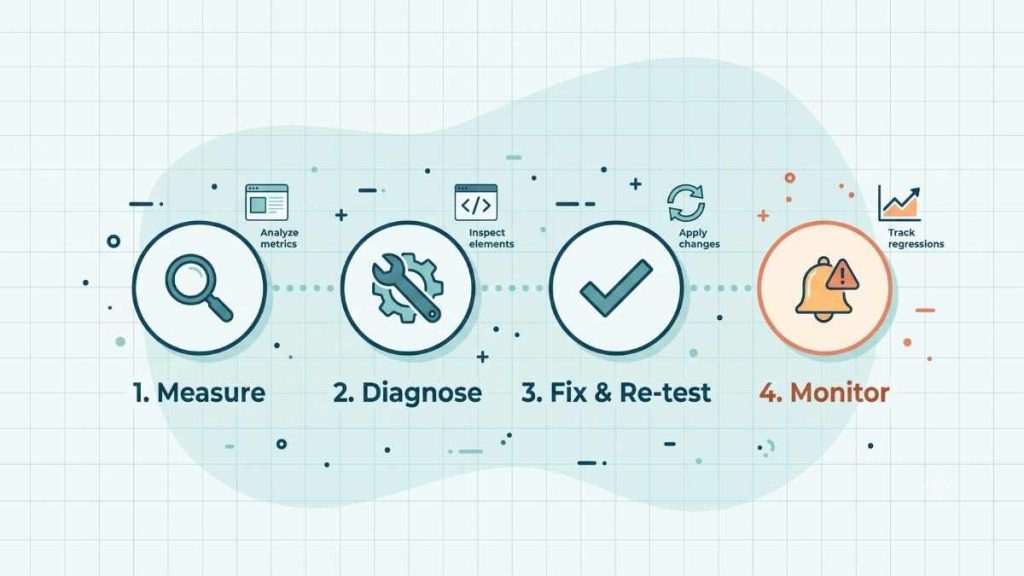
Step 1 — Measure: Start with Google Search Console’s Core Web Vitals report for real field data, or run PageSpeed Insights on individual URLs for both lab and field results.
Step 2 — Diagnose: Use Chrome DevTools’ Performance panel to trace exactly what’s delaying your LCP resource, which tasks are blocking the main thread for INP, and which elements are shifting for CLS.
Step 3 — Fix and re-test: Work through the checklist above for whichever metric is furthest from ‘good,’ then wait roughly 28 days before judging the results — CrUX field data updates on a rolling window, not the instant you hit deploy.
Step 4 — Monitor on an ongoing basis: Set alerts at roughly 80% of Google’s thresholds (INP over 160ms, LCP over 2.0s, CLS over 0.08) so regressions get caught before they fully cross into failing territory.
A Common Misconception Worth Correcting
A perfect Lighthouse score in your browser’s dev tools does not guarantee a passing Core Web Vitals report. Lighthouse is lab data — one simulated run, on your terms. Google grades your live site using real visitor data from CrUX, which includes people on patchy connections and mid-range Android phones you’ve never personally held. It’s entirely possible to ace the practice exam and still bomb the real one, because the real exam has considerably less forgiving hardware in the room.
The Bottom Line
Passing Core Web Vitals in 2026 isn’t about chasing a perfect score once and moving on — it’s disciplined, ongoing engineering: ship less unnecessary JavaScript, reserve layout space on purpose, and prioritize whatever a real visitor sees and touches first. Work through this checklist starting with whichever metric is currently weakest, and re-test on a rolling basis rather than treating it as a one-time fix you can forget about.
If your site keeps failing Core Web Vitals no matter how many plugins or ‘speed’ tweaks you throw at it, that’s exactly the kind of technical audit I help businesses work through. Let’s find out where your site is actually losing time — and, by extension, customers.
Frequently Asked Questions (FAQ)
What are Core Web Vitals in simple terms?
They’re three Google metrics — LCP, INP, and CLS — that measure how fast your page loads, how quickly it responds to clicks or taps, and how visually stable it stays while loading. Together they represent Google’s read on real user experience.
What is a good Core Web Vitals score in 2026?
LCP under 2.5 seconds, INP under 200 milliseconds, and CLS under 0.1 — each measured at the 75th percentile of real visitors over a rolling 28-day window. These thresholds haven’t changed; only the reporting around them has.
Do Core Web Vitals actually affect Google rankings?
Yes, they’re a confirmed part of Google’s page experience signals. They don’t override strong, relevant content, but they act as a meaningful tiebreaker between pages that are otherwise closely matched.
Why is INP the hardest Core Web Vital to fix?
LCP is largely a resource problem (images, server speed) and CLS is largely a dimensions problem (missing width/height), both with well-established fixes. INP is a JavaScript architecture problem — fixing it usually means rethinking how your site handles interactions, not just compressing a file or adding an attribute.
How long does it take to see Core Web Vitals improve after a fix?
Field data updates on a rolling 28-day window through CrUX, so give it at least a few weeks after deploying a fix before judging whether it worked. Checking the next morning will just show you stale data and unnecessary anxiety.
Can I pass Core Web Vitals with a WordPress site?
Yes, but it usually takes more deliberate work than installing one ‘speed’ plugin and hoping — auditing third-party scripts, choosing a lean theme, optimizing images at upload, and monitoring at the template level rather than one page at a time.